Swiftle
Name the Taylor Swift song from a clip.
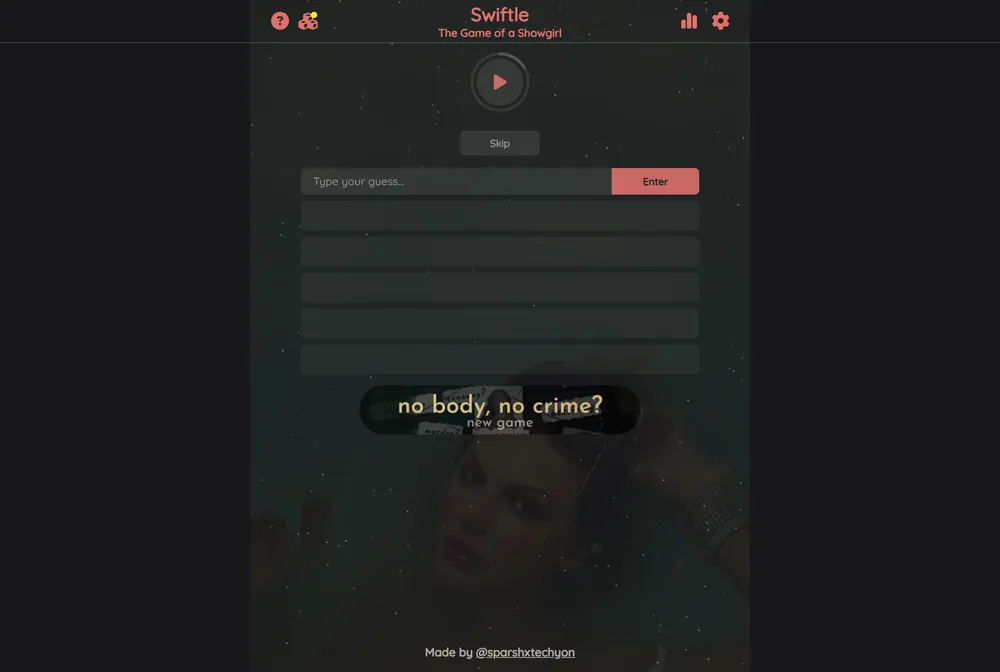
Swiftle plays you a one-second snippet of a Taylor Swift song and challenges you to name the track in six tries. Every miss or skip unlocks another second of audio and drops a color hint, including a yellow flag when your guess lands on the right album. It is a free daily puzzle, shared by everyone on the same day, made by a Swift fan for Swift fans.
What is Swiftle?
Swiftle is a daily music guessing game built entirely around Taylor Swift's catalog. When you open it, you hear a one-second snippet pulled from a single Taylor Swift track, and your job is to name that song. Everyone playing on a given day gets the same song, so the puzzle is shared and a fresh one appears each day. It belongs to the family of audio puzzles that took the Wordle formula and applied it to music, and it has stayed narrowly focused on one artist's discography rather than trying to cover all of pop.
The hook that separates Swiftle from a plain trivia quiz is how the audio unspools. You begin with only a single second, which is often just an intro breath, a drum hit, or the first chord. Each time you guess wrong or skip, the clip grows by another second, so by your final attempt you may be hearing several seconds that reach a vocal line or a chorus. You have six attempts in total. The feedback is color coded: a correct answer locks in green, a completely wrong song shows red, and a wrong guess that happens to come from the same album as the answer shows yellow, which quietly narrows your search toward the right era.
Swiftle was made by Sparsh Tyagi, a software engineering student who publishes under the name Techyonic. By his own account he built it spontaneously after a Swift fan could not find a music guessing game devoted to her, released it the same day with low expectations, and watched it spread through Twitter and Reddit. It grew from tens of thousands of daily players in its early months to more than two million users over its first year or so, which is unusually large for a single-artist fan project. It remains a free browser game hosted at techyonic.co with no separate app required.
The vibe is friendly and Swiftie-specific rather than punishing. Difficulty scales with how deep you go into Swift's work: casual listeners can often catch the radio singles within a couple of seconds, while deep cuts and bonus tracks reward people who know full albums. When you finish, Swiftle gives you a score out of six and a shareable result built from emoji squares that you can copy and post without spoiling the song title. A calendar lets you go back and play past days, so missing a daily does not lock you out of earlier puzzles.
How to play Swiftle
- Open Swiftle at techyonic.co/swiftle and press play to hear the opening one-second clip of the day's Taylor Swift song.
- Begin typing a song title in the box and choose the track you mean from the dropdown of suggestions, which only accepts real Swift songs.
- Submit your guess to see the color feedback: green means you got it, red means a wrong song, and yellow means a wrong song from the same album as the answer.
- If the clip is too short to place, hit skip to unlock another second of audio without burning a guess on a blind pick, though either a skip or a wrong guess uses one of your six chances.
- Keep guessing as the clip grows second by second, using the yellow album hints to home in on the correct era.
- Name the right song within six attempts, then copy the emoji result to share your score without revealing the answer.
Tips and strategy
- Treat the yellow result as your best lead: it confirms you have the right album, so spend your next guesses on other tracks from that same record.
- Anchor each clip to a Swift era by its production. Banjo and fiddle point to the early country albums, glossy synths point to the 1989 and reputation period, and sparse acoustic textures point to folklore and evermore.
- Hold a skip in reserve when the first second is only a quiet intro, since the later seconds frequently reach a recognizable vocal or hook that makes the call obvious.
- Listen for Taylor's Version re-recordings, where a slightly fuller or cleaner mix of a familiar song can trip you up if you assume it is the original.
- When you are stuck between two tracks on the same album, guess the more obscure deep cut first. If it comes back yellow you have confirmed the album, and you still keep your strongest single in reserve.
- Use the calendar archive to play older puzzles for practice, since hearing many one-second openings sharpens your ear for intros faster than the once-a-day puzzle alone.
Good to know
- Resets
- Daily, one shared song per day
- Cost
- Free to play
- Guesses
- Six attempts per puzzle
- Audio
- Starts at one second, grows by a second per miss or skip
- Archive
- Yes, a calendar lets you play past days
- Creator
- Sparsh Tyagi (Techyonic)
- Platform
- Web browser, no app required
Swiftle FAQ
Is Swiftle free?
Yes. Swiftle is a free browser game at techyonic.co/swiftle, and you do not need to download an app or create an account to play the daily puzzle.
How many guesses do you get in Swiftle?
You get six attempts. Each wrong guess or skip uses one attempt and unlocks another second of the audio clip, so your final try plays the longest snippet.
When does Swiftle reset?
Swiftle gives one new shared song each day, and a fresh puzzle appears daily. If you miss a day, you can still play earlier puzzles through the calendar.
Is there a Swiftle archive?
Yes. Swiftle includes a calendar that lets you go back and play past daily songs, so you are not limited to only the current day's puzzle.
Is Swiftle related to Wordle?
It is inspired by Wordle and the audio game Heardle, but it is not made by them. Swiftle was created by Sparsh Tyagi, who publishes as Techyonic, and it focuses entirely on Taylor Swift's songs rather than words.
What do the colors mean in Swiftle?
Green marks a correct guess, red marks a song that is wrong outright, and yellow marks a wrong song that comes from the same album as the answer, which helps point you to the right era.