Flag Pixel
A daily flag-guessing game that shows a country's flag as a pixelated image and marks each guess with a green and black pixel overlay instead of a text hint.
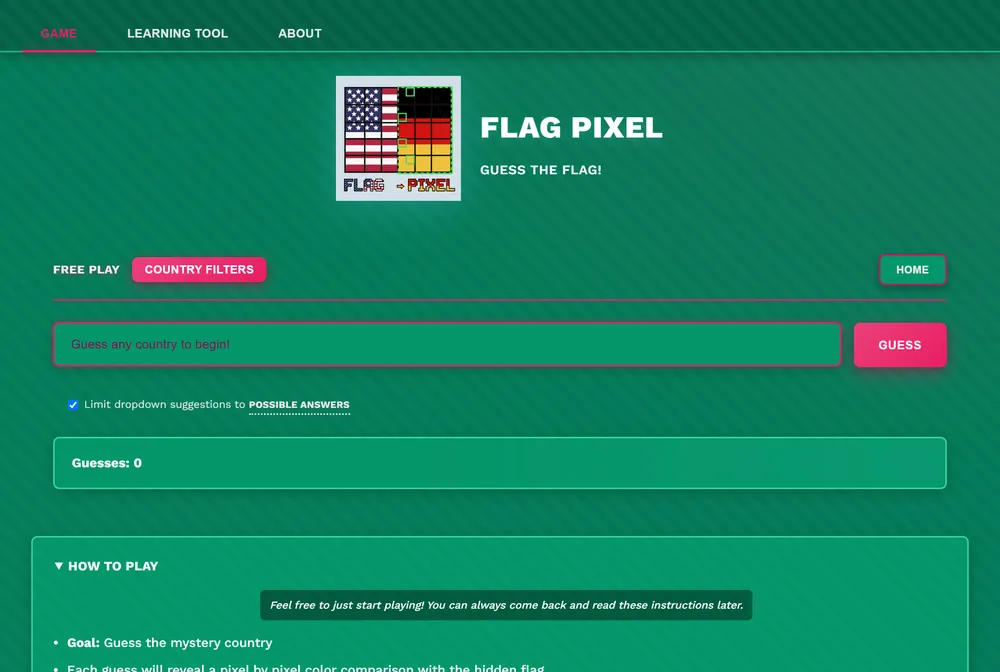
Flag Pixel is a daily guessing game built around a single flag rendered as a 240x160 pixel image. Instead of telling you how close a guess is with an arrow or a percentage, it overlays your guessed flag's pixels directly onto the target, in green where they match and black where they do not. You keep guessing until the overlay turns fully green.
What is Flag Pixel?
The core loop is simple. A pixelated flag loads on screen, you type or select a guess for the country, US state, territory, organization, or historical nation it belongs to, and the site instantly renders a pixel-by-pixel comparison between your guess's flag and the hidden target. Green patches show where the two flags agree, black patches show where they do not, so the shape of the overlay itself becomes the clue: a green stripe down one side suggests a matching color band, scattered green dots suggest a similar palette but a different layout.
That pixel-overlay mechanic is what separates Flag Pixel from other flag games in the -dle family. Games like Worldle and Flagle give you a distance or direction hint toward a hidden country, which works well for geography but says little about what the flag itself looks like. Flag Pixel's feedback is entirely visual and flag-specific: the overlay is built from the flags themselves, so every wrong guess still teaches you something about the target's colors and layout.
Flag Pixel runs a Daily Challenge with two difficulty tiers: Standard, built from the flags of major countries, and Hard, which the site describes as more challenging flags from countries with larger populations. Alongside the daily puzzles there is a Free Play mode with unlimited random flags, which you can filter by difficulty level, population range, geographic region, or flag category, and a learning tool that lets you study flags by the twelve standardized colors and by position on a three by three grid. The full pool holds 375 flags covering countries, US states, territories, organizations, and historical nations. The site credits Duc Vu, who it says may have made the first flag guessing game based on pixel similarity, and its creator can be reached on X at @avg_wrng_ans.
There is no stated cap on how many guesses you get, so the daily puzzles reward patience as much as flag knowledge. The site tracks your progress and statistics locally in the browser and includes a share feature so you can post your result, and a r/FlagPixel subreddit exists for players to trade tips or report issues. The overall feel is closer to a visual puzzle than a trivia quiz: you are reading pixels as much as recalling flags.
How to play Flag Pixel
- Open Flag Pixel at flagpixel.com.
- Choose the Daily Challenge in either the Standard or Hard tier, or switch to Free Play for unlimited random rounds.
- Look at the pixelated 240x160 flag shown on screen.
- Enter a guess for the country, US state, territory, organization, or historical nation you think it belongs to, using the autocomplete to find names quickly.
- Read the pixel overlay that appears: green pixels mark where your guess matches the target flag, black pixels mark where it does not.
- Keep guessing, using the shape of the green and black pixels to narrow down the colors and layout, until the overlay is fully green.
Tips and strategy
- Use the built-in learning tool to study how flags cluster by color and by grid position before attempting the Hard tier.
- Treat a green patch in one corner as a clue about a canton, emblem, or stripe position, not just a color match, and aim your next guess at that region.
- Open with a guess that has an unusual color combination to quickly rule out large groups of similar looking flags.
- On Hard mode, remember the pool leans toward countries with larger populations, so think past the most iconic flags.
- Warm up in Free Play, where you can filter practice rounds by difficulty, region, population range, or flag category, until you are comfortable reading the pixel overlay.
Good to know
- Category
- Geography, flags
- Resets
- Daily at midnight in your local time zone
- Cost
- Free to play, no ads observed
- Guesses
- No stated cap
- Modes
- Daily Challenge (Standard and Hard), Free Play, and a flag learning tool
- Flag pool
- 375 flags: countries, US states, territories, organizations, and historical nations
- Feedback
- Green and black pixel overlay comparing guess to target, plus local stats and result sharing
- Creator
- Reachable on X (Twitter) at @avg_wrng_ans
Flag Pixel FAQ
Is Flag Pixel free to play?
Yes. It is free with no paywall, and no ads were observed on the site.
How do you play Flag Pixel?
You are shown a flag as a pixelated image and guess which country, state, territory, organization, or historical nation it belongs to. Each guess produces an overlay showing green pixels where your guess matches the target flag and black pixels where it does not, and you keep guessing until it turns fully green.
When does Flag Pixel reset?
The Daily Challenge resets at midnight in your local time zone, with both a Standard and a Hard puzzle.
Is there an archive of past Flag Pixel puzzles?
No archive of previous daily puzzles was found on the site.
Is Flag Pixel like Wordle?
It follows the same daily-puzzle structure as Wordle, but its feedback is a visual pixel overlay on the flag itself rather than colored letter tiles.