Valodle
Guess the daily Valorant agent from attribute clues.
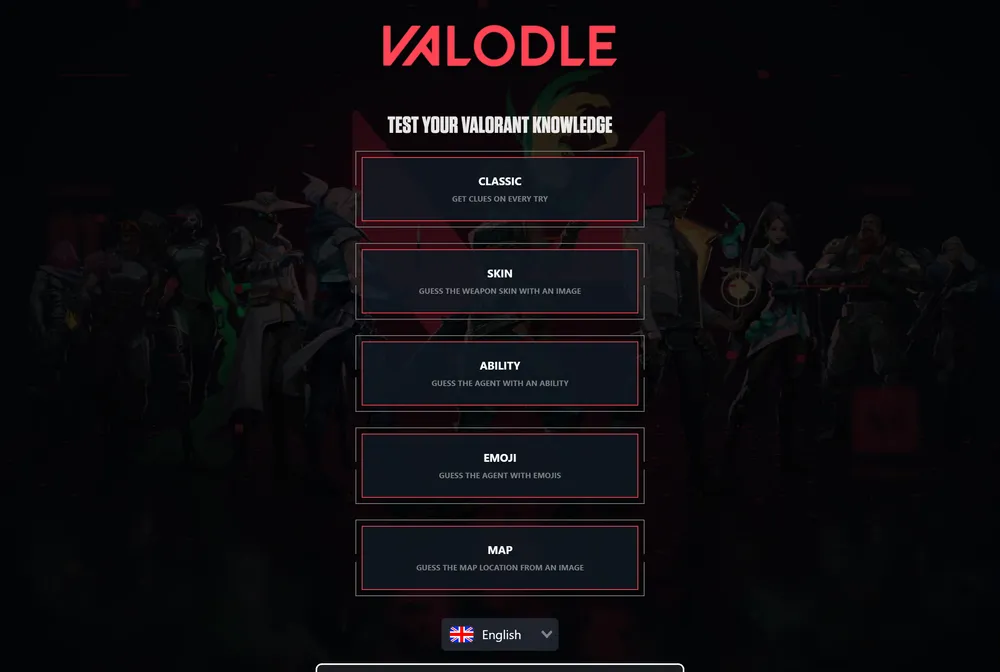
Valodle gives you one secret Valorant agent each day and asks you to name them from attribute clues. You type an agent, submit, and read a colored grid that compares your guess with the hidden answer across traits like gender, species, role, origin, and year of release. The same agent is the target for every player that day, so it works as a daily test of how well you know the roster.
What is Valodle?
Valodle is a daily browser game built around the Valorant agent roster. Each day the Classic mode locks in one secret agent, and your job is to identify them by typing other agents and reading the structured feedback that comes back. There is no account to create and nothing to install: you open the page, start guessing, and work the clues until the agent reveals itself. Because everyone faces the same hidden answer on a given day, it functions as a shared roster quiz that friends and clanmates can compare notes on.
The core loop borrows the Wordle idea of colored feedback but applies it to agent attributes instead of letters. When you submit a guess, Valodle lays out a row comparing the agent you picked against the secret one across several columns: the agent itself, gender, species, role, origin, and year of release. A green cell means that attribute matches exactly, while a yellow or orange cell signals a partial or near match, so you can tell when you are close without being right. The year-of-release column narrows the answer by launch window, helping you place the agent within the timeline of the roster. This attribute grid is what separates Valodle from plain letter-guessing games, since success depends on knowing the roster rather than spelling.
What makes Valodle distinct is breadth. Beyond Classic, the site offers several themed modes that reuse the same deduction feel but test different knowledge: a Skin mode that shows a weapon skin image to identify, an Ability mode that gives you an ability to trace back to its agent, an Emoji mode that encodes an agent in emoji, and a Map mode that asks you to name a map from a location image. That variety means a single visit can stretch from a quick Classic solve into a small set of side puzzles for fans who want more than one daily challenge.
Valodle is free to play in the browser with no paywall and no required sign-in. The site also points players toward Alldle, which it bills as the biggest hub for all dle games, so you can find more daily puzzles in the same style once you finish here. The vibe is relaxed and fan-focused rather than competitive: there is no timer pressure, and the difficulty scales with how well you know agent roles, origins, species, and release order. Newer players can still chip away using the green and yellow feedback, while longtime Valorant fans will often narrow the answer in just a few guesses. It suits anyone who enjoys the roster and wants a short, repeatable daily habit.
How to play Valodle
- Open Valodle and choose the Classic mode to guess the daily agent.
- Type any Valorant agent as your first guess and submit it.
- Read the row that appears: a green cell marks an attribute you got exactly right, and a yellow or orange cell marks a close or partial match.
- Compare each column shown in the grid, including agent, gender, species, role, origin, and year of release, against the colored cells.
- Use the year-of-release column to bracket the answer by launch window and rule out agents from the wrong era.
- Refine your next guess from the feedback and keep going until you name the hidden agent, then try the Skin, Ability, Emoji, or Map modes for more.
Tips and strategy
- Lock the role first, since duelist, controller, sentinel, and initiator each cover only part of the roster and a green role cell cuts your options fast.
- Watch the species column, because most agents are human but a few are not, and a match or mismatch there can quickly separate the unusual cases from the rest.
- Use the year-of-release column to split the roster by launch window, steering each new guess toward eras you have not ruled out yet.
- Pair the origin clue with the release timeline to separate launch-era agents from newer additions that share the same region.
- When a cell turns yellow or orange instead of green, read it as a near miss and pick a guess that shares the broad category but differs on the detail to pin down what counts as close.
- Spend early guesses on agents from different roles and regions to harvest the most feedback before you start committing to a specific answer.
- If Classic stalls, switch to the Ability or Emoji mode, since unique kits and signature icons often jog a connection that the attribute grid alone does not.
Good to know
- Resets
- New puzzle daily
- Cost
- Free to play
- Account
- No login or sign-up required
- Modes
- Classic, Skin, Ability, Emoji, and Map
- Classic columns
- Agent, gender, species, role, origin, and year of release
- Theme
- Valorant agents, skins, and maps
Valodle FAQ
Is Valodle free?
Yes. Valodle is free to play in your browser at valodle.eu, and you do not need to create an account or sign in to play the daily puzzles.
Is Valodle related to Wordle?
It is inspired by Wordle's daily, single-answer format and colored feedback, but it is not made by the same people. Instead of guessing letters, you guess Valorant agents, and the colors compare agent attributes like gender, species, role, origin, and year of release.
When does Valodle reset?
Valodle refreshes with a new secret agent each day, so once you solve the current puzzle you wait for the next daily reset to play a fresh Classic round.
What are the different Valodle modes?
Alongside the Classic agent guess, Valodle offers a Skin mode (identify a weapon skin from an image), an Ability mode (name the agent from an ability), an Emoji mode (decode emoji into an agent), and a Map mode (recognize a map from a location image).
How does the feedback work in Valodle?
After each guess the grid colors every attribute. A green cell means that attribute is an exact match with the secret agent, while a yellow or orange cell means it is a close or partial match. The columns compared include agent, gender, species, role, origin, and year of release.